
.png)
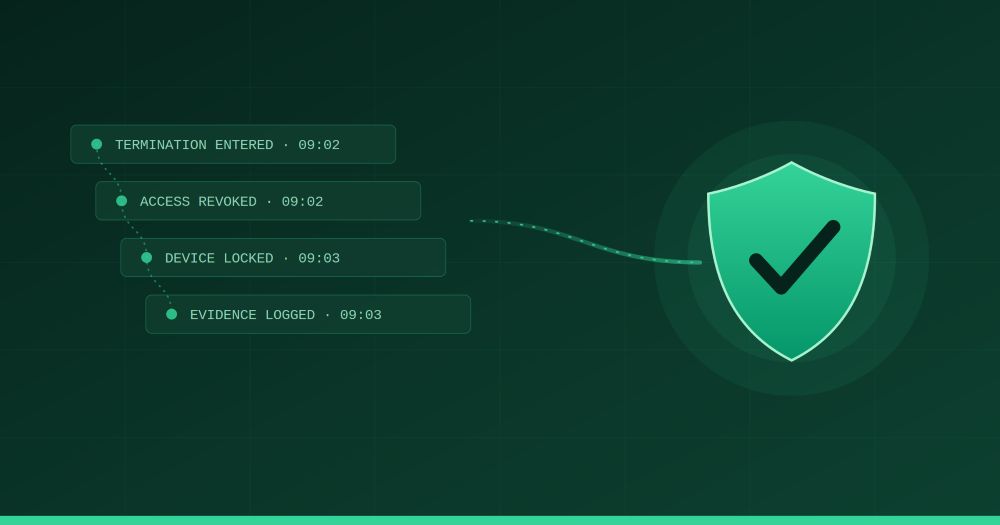
Most organizations treat employee offboarding as an HR task with an IT footnote. Someone submits a resignation, HR processes the paperwork, and IT gets a ticket — maybe on the last day, maybe the day after — to "clean up" the accounts. That model is the source of one of the most persistent and preventable security vulnerabilities in modern organizations.
The data is not ambiguous. 91% of employees still have access to company files after being offboarded. 63% of businesses may have former employees with access to organizational data. Insider threats account for 60% of all data breaches, and the average U.S. data breach costs $4.9 million. These aren't edge cases or theoretical risks. They are the predictable result of treating a security event like an administrative errand.
This post covers why offboarding is fundamentally an IT security event, what a well-designed Rippling offboarding workflow looks like in practice, and the specific gaps that organizations — even those running Rippling — most commonly leave open.
The framing matters. When offboarding lives in HR's process ownership, the default priority is paperwork: final pay, return of equipment, exit interview, benefits termination. These are important. But they're not the same priority as ensuring that a person who no longer works for your organization can no longer access your systems, your data, and your customers' information.
The risk profile of a departing employee is unique. 70% of intellectual property theft occurs within 90 days before an employee's resignation — meaning the most dangerous window often begins before the departure is even announced. And the risk doesn't end at departure. A former employee with active credentials is a persistent threat vector: if their personal credentials are later compromised in an unrelated breach, that lingering access becomes an entry point into your environment through no fault of their own. The only reliable mitigation is complete and immediate access revocation.
The scale of the problem has grown alongside SaaS adoption. The average employee now uses dozens of applications, many of which were adopted informally — outside of IT's provisioning workflows, without SSO coverage, and without any centralized record of the account. About a third of organizations take more than 24 hours to offboard an ex-employee, and over 30% take more than three days to revoke all system access. In a 30-application environment, each of those delays multiplies the exposure.
Organizations that handle offboarding poorly almost always fail in one of three ways.
Access revocation happens after it should. The window between an employee's last day and the moment their access is actually removed is where most unauthorized access incidents occur. This gap exists because offboarding is triggered manually — someone has to remember it's the last day, create a ticket, and follow a checklist. Each handoff is a failure point. HR notifies IT. IT notifies the app owners. App owners deprovision on their own timelines.
In termination scenarios — particularly involuntary ones — this timing gap can be measured in hours during which a departing employee still has full access to Salesforce, your codebase, your customer database, or your financial systems. The standard should be same-day access revocation, executed at a defined time, not "when IT gets to it."
Nobody has a complete picture of what a given employee can access. IT manages SSO-connected apps. Individual teams manage apps they adopted without IT approval. Contractors and project collaborators have been added to tools outside any provisioning process. Shared credentials exist for vendor portals and social media accounts. The offboarding checklist covers the apps IT knows about — but without SaaS visibility platforms, you can't effectively revoke access to applications you don't know exist.
Shadow IT is not a new problem, but it gets more dangerous at offboarding. A Figma account, a personal Notion workspace used for company planning, a direct Slack connection to a vendor — none of these are covered by SSO deprovisioning alone.
71% of organizations have no formal offboarding process. Where processes do exist, they are often inconsistent — different checklists for different roles, different accountability chains for voluntary versus involuntary departures, and no audit trail that can prove what was revoked, when, and by whom. This creates compliance exposure well beyond the immediate security risk.
Rippling's structural advantage in offboarding is the same as its structural advantage everywhere: HR and IT share a single employee data model. A termination event in HR is simultaneously an IT event — it doesn't require a ticket, a notification, or a manual handoff to trigger deprovisioning. The connection is native.
Here's what that looks like in practice when it's configured correctly.
One of Rippling's most operationally important offboarding capabilities — added in early 2026 — is the ability to schedule the specific date and time an employee loses system access, rather than defaulting to "effective immediately" or "last day of work." This matters for several reasons.
For voluntary departures where the employee has a two-week notice period and is completing a knowledge transfer, you don't want to cut access on day one of the notice period — but you also don't want to leave it to chance on the last day. You want access to end at a defined time, automatically. For involuntary terminations, you want access revoked at the precise moment the conversation happens — not after IT receives a ticket and completes a manual checklist. Rippling supports both scenarios from the same workflow.
When a termination date triggers in Rippling, a series of cascading offboarding events happen automatically — access to every provisioned application is revoked, devices are flagged for recovery or remote wipe, and the IT team receives an Application Access Count Report confirming that all of the departing employee's application access has been successfully revoked.
This report is the accountability layer that most manual offboarding processes lack. It gives IT admins a comprehensive list of every app the employee had access to and the current status of each — active versus terminated. The offboarding isn't complete until every line is closed.
Rippling's 2026 release cycle added dedicated Microsoft 365 offboarding configuration, allowing admins to configure account deactivation, license reclamation, file and mailbox transfer, and email forwarding rules as part of the automated offboarding workflow. For organizations running on M365, this closes one of the most common gaps in SSO-based offboarding — the employee's actual mailbox and files, not just their login access.
Rippling's MDM layer connects device lifecycle directly to the offboarding workflow. When an employee is terminated, their device is automatically flagged for return. If the device isn't returned, IT can remotely lock it or perform a full wipe from the same platform that managed the rest of the offboarding. For remote employees — where physical device recovery requires shipping coordination — Rippling can also initiate the return logistics from within the platform.
Any shared passwords or service accounts the departing employee had access to need to be rotated immediately on departure. This is a consistently under-executed step in most offboarding processes. Rippling's inventory of provisioned applications gives IT the visibility to identify where shared credentials exist so they can be rotated systematically rather than discovered after the fact.
Rippling's native offboarding capabilities are strong, but they only cover what's been configured and connected. There are specific gaps that require deliberate design decisions before they're closed.
Rippling's automated deprovisioning covers apps provisioned through IT Cloud. Apps that employees adopted outside the official provisioning process — those that aren't SSO-connected or SCIM-enabled — aren't automatically included. Organizations need a process for discovering and managing these: regular SaaS audits, OAuth log review, and a defined exception process for apps that can't be automatically deprovisioned.
This is one of the reasons a Rippling HealthCheck is valuable before building out an offboarding program. Understanding what's actually connected, what's visible, and what falls outside the automated workflow is the prerequisite to designing a complete offboarding process.
Offboarding isn't only a leaver problem. When an employee moves to a different role, department, or location, their access entitlements should change — sometimes dramatically. The permissions appropriate for a Finance analyst are not appropriate for the same person after moving into Product. Without deliberate access review at every mover event, privilege accumulation creates a security problem that doesn't require anyone to leave the company.
Rippling's Access Assignments feature, released in late 2025, addresses this through date-specific access changes and mismatch detection — but it requires that your access architecture be designed with role transitions in mind. thePeopleStack's Identity and Access Management implementation work specifically includes mover event design as a core deliverable.
Standard offboarding workflows cover standard user accounts. Admin and privileged accounts — Rippling super admins, IT admins, Finance approvers — require additional steps and faster response times. Organizations running their first Rippling access review typically find 15–25% of active permissions belong to employees who changed roles, left the company, or never needed that level of access in the first place. Former HR coordinators and departed IT admins with lingering Rippling admin access are not theoretical risks.
Privileged access should be audited quarterly — not just at offboarding — and any admin departure should trigger an immediate review of approval chains and permission structures that the departing admin owned.
Given that most data exfiltration happens before the resignation is announced, the last mile of offboarding security is actually the period before the offboarding process begins. This means having baseline DLP monitoring in place, understanding what data employees are accessing in the weeks before high-risk departures, and having clear policies about data handling during notice periods. Rippling's Activity Logs provide visibility into system access and changes, giving IT a baseline they can reference if suspicious pre-departure activity needs to be investigated.
A well-designed Rippling offboarding playbook covers five elements.
Trigger and timing configuration. Define exactly when access revocation happens for each departure type: voluntary resignation, involuntary termination, contractor end-of-engagement, and role change. Use Rippling's date-specific access removal to schedule revocation precisely, not approximately.
App inventory and connection audit. Maintain an up-to-date inventory of every application in your environment, tagged by whether it's connected to Rippling's IT Cloud, SSO-only, or manual-only. For each manual-only app, assign an owner responsible for deprovisioning and build that into the offboarding workflow as a task with an SLA.
Device recovery protocol. Define the recovery process for each device type and employment situation: office-based versus remote, owned devices versus BYOD, standard hardware versus privileged-access workstations. Build device recovery into the Rippling offboarding workflow so it triggers automatically, not as a separate IT ticket.
Privilege review and admin access cleanup. Run quarterly access reviews for all admin and privileged accounts in Rippling. Every departure of an admin-level user should trigger an immediate audit of what they owned, approved, or had elevated access to — and that access should be reassigned or removed within 24 hours.
Audit trail and verification. Use Rippling's Application Access Count Report as the sign-off mechanism for every offboarding. No offboarding is complete until the report shows all access terminated. Store the report in the employee's offboarding record as documentation for compliance and audit purposes.
For organizations approaching SOC 2, ISO 27001, or other compliance frameworks, this documentation layer isn't optional. Auditors will ask specifically about your offboarding process, how quickly access is revoked, and whether you can prove it. thePeopleStack's implementation approach builds audit-ready documentation into offboarding configuration from the start.
The organizations that handle offboarding well don't treat it as an IT task to be completed when time allows. They design it as a security control with defined triggers, automated execution, and a documented audit trail. The moment an employee joins your organization, the clock starts on a process that needs to be undone — cleanly and completely — the moment they leave.
Rippling gives you the architecture to do this right. The unified HR-IT data model means a termination event is automatically a security event. The date-specific access removal, cascading deprovisioning, device recovery workflows, and Application Access Count Report close most of the gaps that plague manual offboarding. What's left is the design work: defining your departure types, connecting your full app inventory, building your privilege review cadence, and making sure your Rippling environment is configured to execute reliably.
If you're evaluating whether your current Rippling offboarding setup actually closes the gaps — or building a program from scratch — a HealthCheck from thePeopleStack is the right starting point. We'll tell you exactly what your current configuration handles and where the exposures are. Reach out here to get started.


December 24, 2025
Career
It's 2026, and career ladders are breaking down as flatter organizations, faster skill change, and AI reduce traditional promotion paths. Research shows high performers now grow by expanding scope, building in-demand skills, moving laterally, and earning trust through outcomes—not by waiting for titles. Employees must manage careers as portfolios of skills and impact, while PeopleOps and HR must redefine growth around scope and mobility, enable managers in leaner orgs, and ensure fair access to opportunity or risk losing top talent.
Career


November 28, 2024
Compliance
Upcoming 2025 employment law changes in the U.S. and Canada will significantly impact businesses, but Rippling’s automated compliance tools and robust HR features can help organizations stay ahead and confidently adapt to evolving regulations.
Compliance

July 11, 2026
Compliance
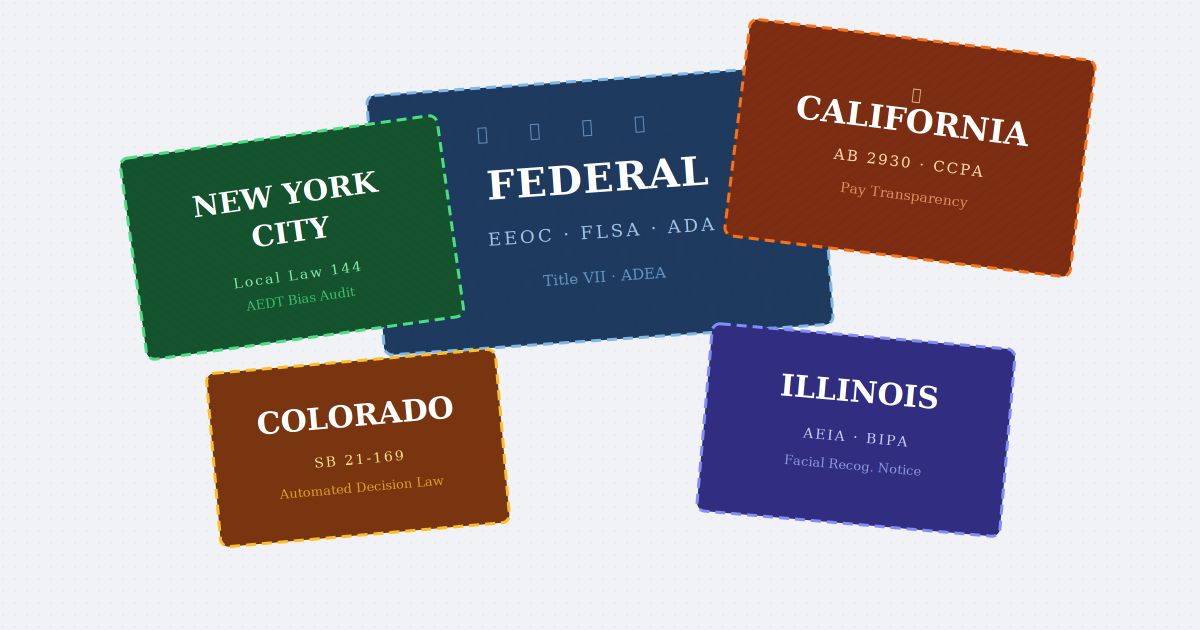
Illinois is live, Colorado lands June 30, twenty states now regulate HR data, and a federal executive order is fighting all of it. Chasing each statute is a losing game. Here's the highest-common-standard posture that holds up regardless of how the fight resolves.
Compliance